





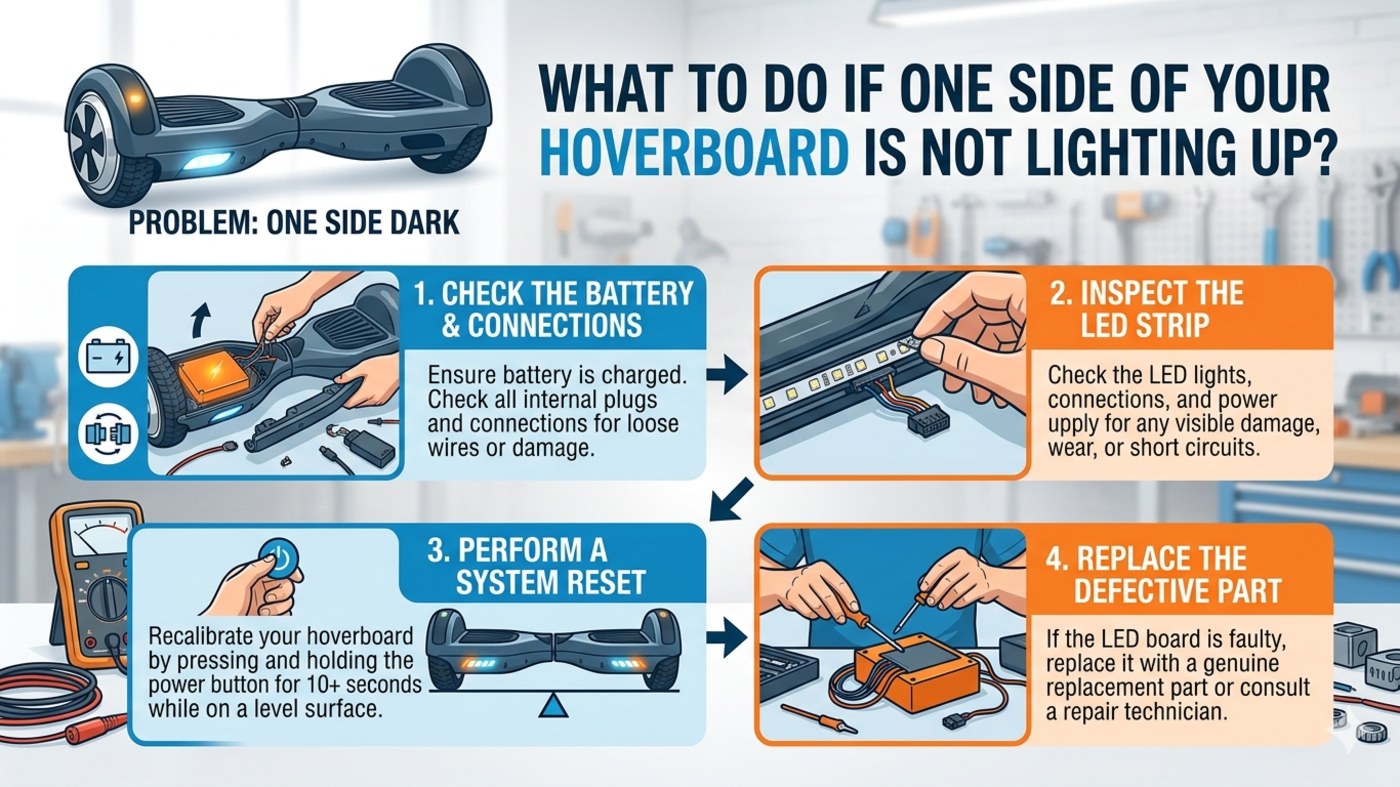

Whether you are gliding through the streets of London, commuting in Manchester, or enjoying a park in Edinburgh, a hoverboard is a fantastic way to get around. However, technical glitches can happen. One of the most common issues reported by riders across the UK is when one side of the hoverboard is not lighting up.
Not only do these LEDs look sleek, but they are also vital for safety and visibility during evening rides. If your board is "half-dark," don't panic. Usually, the fix is simpler than you think.
1. Perform a System Recalibration
Before you reach for the toolbox, try a software reset. Many hardware-sync issues—including lighting malfunctions—are caused by the gyroscopes falling out of alignment.
-
The Fix: Place your hoverboard on a completely flat surface. Ensure both footpads are perfectly level. Press and hold the power button for approximately 10 seconds. You will usually see the lights flash and hear a beep. Turn the board off and then back on.
2. Inspect for Loose Internal Wiring
Hoverboards are subject to a lot of vibration and occasional bumps against UK curbs. Over time, the internal connectors can jiggle loose.
-
The Fix: If you are comfortable doing so, unscrew the bottom casing of the side that isn't lighting up. Look for the LED wire harness (usually a small plastic clip with colorful wires). Ensure the clip is firmly seated into the motherboard or the LED strip.
-
Pro Tip: Always ensure the device is powered off before opening the shell to avoid short-circuits.
3. Check for LED Strip Damage
If your board has suffered a side impact, the LED strip itself might be cracked or the solder joints broken.
-
The Fix: Inspect the clear plastic casing over the lights for cracks. If the lights are flickering or only a few "bulbs" are out, the LED strip likely needs a full replacement. These are inexpensive parts that can be sourced from reputable UK hoverboard parts specialists.
4. Evaluate the Gyroscope/Sensor Board
In many models, the lights are controlled directly by the gyroscope board on that specific side. If the lights are out and that side of the board feels "sluggish" or unresponsive, the issue is likely the sensor board.
-
The Fix: You may need to replace the gyroscope board. Ensure you buy a replacement that matches your specific model (e.g., 6.5-inch, 8-inch, or 10-inch wheels) to ensure compatibility with the main logic board.
When to Consult a Professional
If you have tried recalibrating and checking the wires but still find yourself asking, "What is the solution if one side of hoverboard not lighting up?", it may be a fault within the Main Logic Board (Motherboard).
Because the motherboard manages power distribution, a blown capacitor or transistor can cut power to one side's lighting circuit. At this stage, we recommend contacting a certified UK repair center to avoid compromising the battery safety of your device.
Summary Checklist for UK Riders:
-
Recalibrate on a level surface.
-
Check connections for loose "plug and play" wires.
-
Inspect for physical impact on the LED casing.
-
Verify sensor responsiveness on the dark side.
By following these steps, you can get your board back to its full, glowing glory and stay safe on the British roads and pathways!
Looking for more maintenance tips? Keep your hoverboard stored in a dry place to avoid the damp UK weather from affecting the internal circuitry. Safe riding!