





If you’ve ever gone to plug in your board only to find the connection won’t quite click, you know how frustrating it can be. Most self-balancing scooters on the market today rely on a specific piece of hardware: the hoverboard charger 3 pin.
Choosing the right charger isn't just about getting back on the road; it’s about protecting your battery and ensuring your safety. In this guide, we’ll dive into why the 3-pin configuration is the standard, how to spot a high-quality replacement, and the LSI (Latent Semantic Indexing) terms you need to know to maintain your ride.
Understanding the 3-Pin Configuration
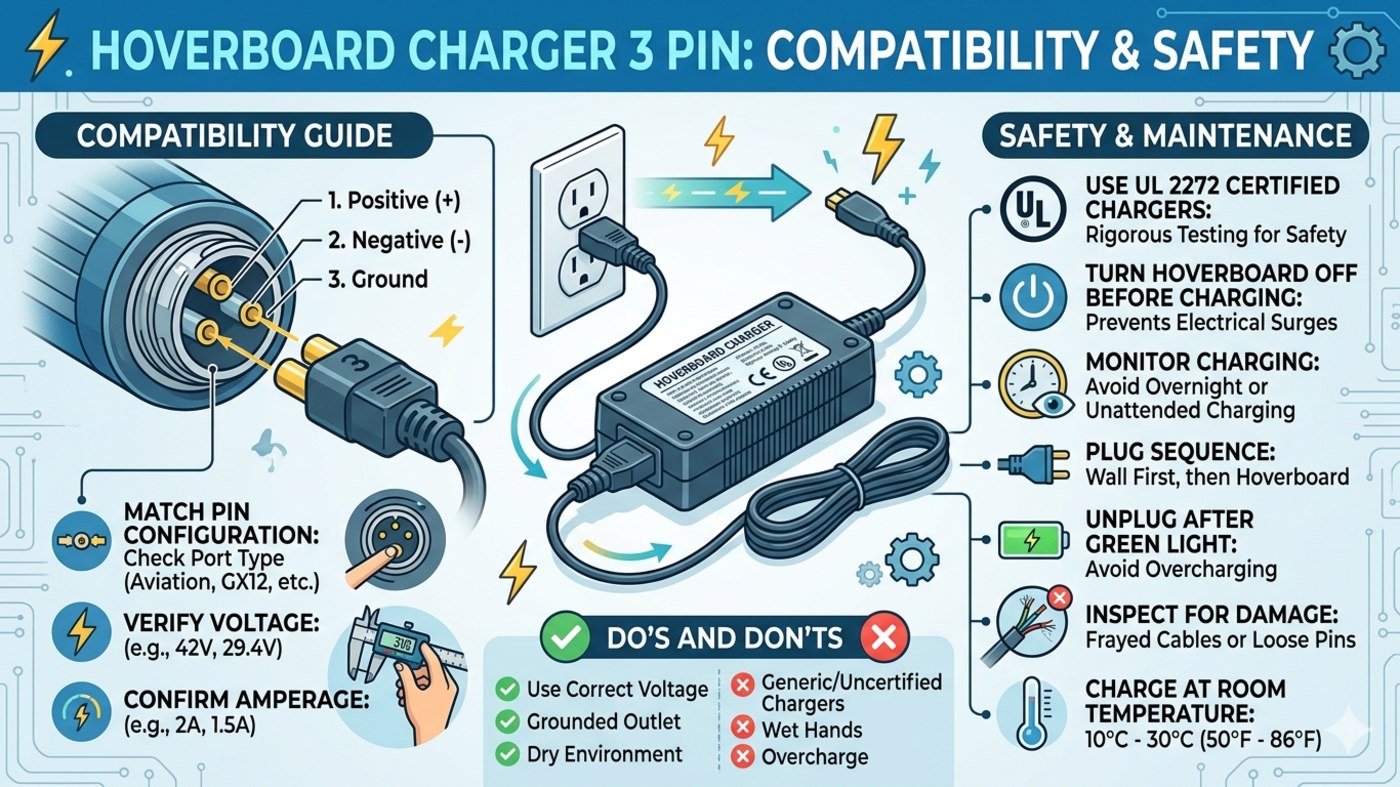
The hoverboard charger 3 pin (often called a 3-prong or 3-pole connector) is designed with safety in mind. Each of the three pins serves a specific electrical purpose of hoverboard, typically mapped as positive, negative, and a ground or communication pin. This setup ensures that the Lithium-ion battery receives a stable current without surging.
Common LSI Keywords to Know:
-
3-Prong Inline Connector
-
42V 2A Power Adapter
-
Smart Balance Wheel Charger
-
UL 2272 Certified
-
Replacement Charging Cable
How to Identify the Right Charger for Your Board
Not all 3-pin chargers are created equal. To ensure you don't damage your internal circuitry, check these three specific details:
1. Voltage and Amperage
The most common specification for a standard hoverboard is a 42V output with a 2A (2 Amp) current. Using a charger with a higher voltage can lead to overheating or even a fire hazard.
2. Connector Diameter
The standard diameter for a hoverboard charger 3 pin is usually 8mm or 12mm (often referred to as an "aviation plug"). Before buying a replacement, measure your charging port or check the model number on your original brick.
3. Safety Certifications
Always look for the UL 2272 certification mark. This indicates that the electrical system, including the charger and battery, has undergone rigorous testing. Avoid "generic" chargers that lack these safety labels.
Signs Your hoverboard Charger Needs Replacing
Is your board not juicing up? Look for these red flags:
-
The LED Light Trick: Most chargers have an indicator light. If it stays green when plugged into a dead board, the charger isn't communicating with the battery.
-
Frayed Wires: If the internal copper is visible near the 3-pin head, discard it immediately.
-
Loose 3-Prong Fit: If the plug wiggles inside the port, it can cause "arcing," which melts the plastic housing.
Pro Tips for Safe Charging
To extend the life of your hoverboard charger 3 pin and your board’s battery:
-
Sequence Matters: Plug the charger into the wall first (ensure the green light is on), then plug it into the hoverboard.
-
Power Off: Always turn off your hoverboard before connecting it to power.
-
Don’t Overcharge: Once the light turns green, unplug it. Leaving it on for 24+ hours can degrade the cells.
Conclusion
A reliable hoverboard charger 3 pin is the lifeline of your scooter. By ensuring you have a 42V 2A adapter that is UL certified, you’re investing in many more hours of smooth, safe riding.